
Shopping for the best laptop under ₹50,000 is less about finding one winner and more about matching a machine to the work you actually do. A student writing assignments, a developer compiling projects and a shop owner running billing software need different things, even when they share the same budget.
The models below cover several different trade-offs: a faster H-series processor, a smoother 120Hz screen, upgradeable memory, an ARM-based Snapdragon option and lower-cost machines for lighter workloads. Specifications and availability can vary by exact configuration, so match the model number and listing details before ordering.
"Choose for your everyday workload first; a higher specification only helps when your software and routine can use it."
Use the comparison as a shortlist, not a promise that every laptop will suit every buyer. We have kept the product specifications and listed features together so you can compare performance, portability and upgrade options before checking the current price.
Quick Overview: Top Laptop Picks Under ₹50,000
| Model | Processor | RAM & Storage | Best For |
|---|---|---|---|
| ASUS Vivobook 15 | Intel Core i5-13420H | 16GB / 512GB SSD | Heavy Multitasking |
| Dell 15 | Intel Core 3 100U | 16GB / 512GB SSD | 120Hz Display |
| Acer Aspire Lite | AMD Ryzen 5 5625U | 16GB / 512GB SSD | Metal Body & Coding |
| ASUS Vivobook 16 | Snapdragon X (AI) | 16GB / 512GB SSD | Battery & AI Tasks |
| Lenovo V15 G4 | AMD Ryzen 5 7520U | 16GB / 512GB SSD | DDR5 Office Work |
The sections below explain what each configuration is suited to and where to pause before buying. Product prices and stock can change, and a model name may cover more than one configuration.
If raw processing power is your absolute highest priority under ₹50,000, the ASUS Vivobook 15 (X1502VA-BQ836WS) stands in a league of its own. Unlike standard power-saving U-series chips found in most budget laptops, ASUS has packed an authentic 45W high-performance Intel Core i5-13420H processor inside this machine.
With 8 cores (4 Performance + 4 Efficiency cores) and 12 threads clocking up to 4.6 GHz, paired with 16GB of RAM, this laptop handles heavy local database queries, Android Studio compilations, and massive Excel spreadsheets without a single stutter. It also comes bundled with a lifetime license of Microsoft Office Home 2024.


ASUS Vivobook 15 Specifications
| Display size | 15.6-inch Anti-glare |
| Display resolution | 1920 x 1080 pixels (FHD) |
| Processor | Intel Core i5-13420H (Up to 4.6 GHz) |
| RAM | 16GB DDR4 |
| Storage | 512GB M.2 NVMe PCIe 4.0 SSD |
| Special Features | Backlit Keyboard, Privacy Shutter |
| Weight | 1.70 kg |
Dell has upgraded its iconic Inspiron lineup with the modern Dell 15, powered by Intel's latest Raptor Lake Refresh Core 3 100U processor. What truly sets this laptop apart in the sub-50k category is the screen: a silky-smooth 120Hz Full HD WVA IPS anti-glare display.
Most budget laptops lock you into standard 60Hz panels. Scrolling through lengthy PDFs, coding logs, and web pages on this 120Hz panel offers a premium visual experience. Supported by Dell’s legendary enterprise-grade hinge ergonomics, 16GB RAM, and a generous port layout, it is built to survive both college backpacks and office commutes.

Dell 15 Specifications
| Display size | 15.6-inch WVA IPS |
| Display resolution | 1920 x 1080 (120Hz Refresh Rate) |
| Processor | Intel Core 3 100U (6 Cores) |
| RAM | 16GB DDR4 2666 MT/s |
| Storage | 512GB SSD |
| OS & Software | Windows 11 + Office H&S 2024 |
| Weight | 1.63 kg |
HP remains the most trusted consumer laptop brand across tier-1 and tier-2 Indian cities for service reach. The HP 15 (fd0573TU) features an optimized 12GB DDR4 RAM configuration, which provides 50% more headroom than baseline 8GB laptops without driving the price beyond comfortable reach.
Powered by the 6-core Intel Core i3-1315U with Intel Turbo Boost up to 4.5 GHz, this lightweight 1.59 kg machine includes an upgraded 1080p FHD True Vision webcam with temporal noise reduction—making your video presence look incredibly sharp and professional on Teams and Google Meet calls.

HP 15 Specifications
| Display size | 15.6-inch Micro-edge |
| Display resolution | 1920 x 1080 pixels (FHD) |
| Processor | Intel Core i3-1315U (Up to 4.5 GHz) |
| RAM | 12GB DDR4-3200 |
| Storage | 512GB PCIe Gen4 NVMe SSD |
| Webcam | 1080p FHD with Noise Reduction |
| Weight | 1.59 kg |
If plastic chassis designs make you nervous, the Acer Aspire Lite (AL15-41) provides a breath of fresh air with its sleek, premium Metal Body weighing just 1.59 kg. Under the hood lies the workhorse AMD Ryzen 5 5625U processor featuring 6 full performance cores and 12 threads with a large 16MB L3 cache.
Unlike modern laptops with soldered memory, the Aspire Lite comes with 16GB of dual-channel RAM that can be upgraded all the way to 32GB, alongside an expandable 512GB PCIe Gen3 NVMe SSD slot. For programmers who run virtual machines, this expandability guarantees multi-year future-proofing.

Acer Aspire Lite Specifications
| Display size | 15.6-inch TFT LCD |
| Display resolution | 1920 x 1080 pixels (FHD) |
| Processor | AMD Ryzen 5 5625U (6 Cores, 12 Threads) |
| RAM | 16GB DDR4 (Upgradable to 32GB) |
| Storage | 512GB PCIe Gen3 SSD |
| Build | Metal Body Construction |
| Weight | 1.59 kg |
Designed for reliability and non-stop business productivity, the Lenovo V15 G4 AMN pairs the modern 6nm AMD Ryzen 5 7520U processor with ultra-fast 16GB DDR5 RAM running at 5500MHz. This incredible memory bandwidth ensures near-zero latency when launching applications or filtering massive datasets.
Finished in a subtle Arctic Grey, the V15 G4 includes business-grade conveniences such as a dedicated RJ45 Gigabit Ethernet port, Wi-Fi 6, Dolby Audio stereo speakers, a full numeric keypad, and an integrated physical webcam privacy shutter for complete peace of mind.

Lenovo V15 G4 Specifications
| Display size | 15.6-inch Anti-Glare |
| Display resolution | 1920 x 1080 pixels (FHD) |
| Processor | AMD Ryzen 5 7520U (Up to 4.3 GHz) |
| RAM | 16GB DDR5 (5500MHz Fast Memory) |
| Storage | 512GB PCIe NVMe SSD |
| Audio | Dolby Audio Speakers |
| Weight | 1.65 kg |
The ASUS Vivobook 16 (X1607QA) represents a massive technological leap in the sub-50k bracket. Built on cutting-edge ARM architecture with the Snapdragon X X1 26 100 processor, it features an integrated Qualcomm Hexagon NPU capable of a staggering 45 TOPS (Trillion Operations Per Second) for on-device AI generation and Copilot tasks.
The display is a taller 16.0-inch FHD+ 16:10 aspect ratio panel with 300 nits brightness, giving you significantly more vertical viewable space for programming scripts and documents. Backed by ultra-fast 16GB LPDDR5X RAM, this machine runs virtually silent and delivers smartphone-like multi-day battery efficiency.

ASUS Vivobook 16 Specifications
| Display size | 16.0-inch 16:10 ratio |
| Display resolution | 1920 x 1200 pixels (FHD+) |
| Processor | Snapdragon X X1 (8 Cores) |
| RAM | 16GB LPDDR5X |
| Storage | 512GB M.2 NVMe PCIe 4.0 SSD |
| AI Engine | Qualcomm Hexagon NPU (45 TOPS) |
| Weight | 1.88 kg |
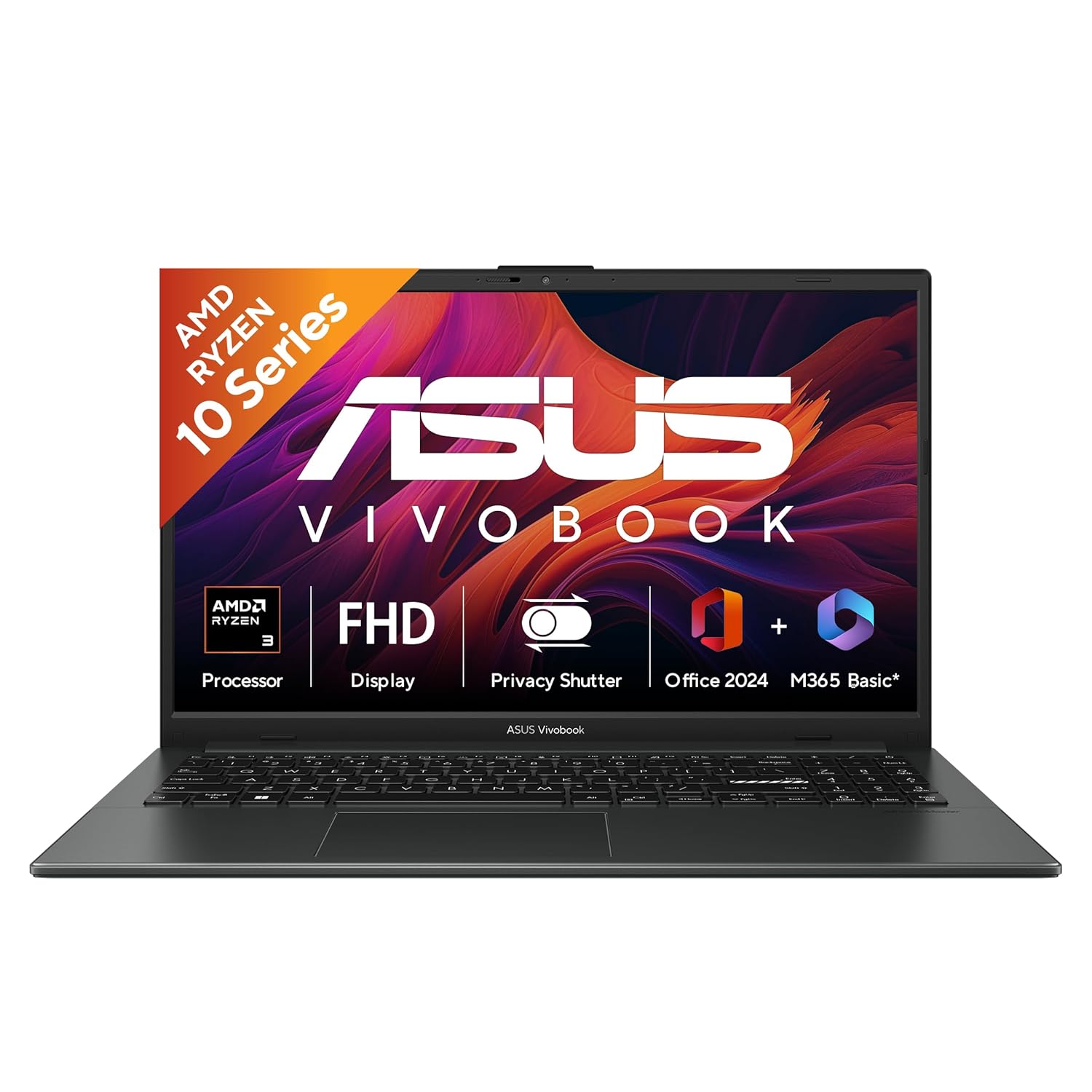
Tested to stringent US MIL-STD 810H military-grade standards, the ASUS Vivobook Go 15 is engineered to handle accidental knocks, vibrations, and temperature changes. It features a reliable AMD Ryzen 3 quad-core processor backed by high-frequency 8GB LPDDR5 RAM.
With cutting-edge Triple-Band Wi-Fi 6E connectivity, an 84% screen-to-body ratio micro-edge bezel, and 45W fast charging that reaches 60% in just 49 minutes, this is one of the most dependable daily laptops for university lectures and online coursework.
ASUS Vivobook Go 15 Specifications
| Display size | 15.6-inch Anti-glare |
| Display resolution | 1920 x 1080 pixels (FHD) |
| Processor | AMD Ryzen 3 7320U (4 Cores) |
| RAM | 8GB LPDDR5 |
| Storage | 512GB M.2 NVMe SSD |
| Durability | MIL-STD 810H standard |
| Weight | 1.63 kg |
The HP 15 combines the ultra-efficient 6nm AMD Ryzen 3 7320U architecture with integrated AMD Radeon graphics. Because the 7320U sips very little power during video streaming and web browsing, this model delivers cooler wrist rests and significantly longer battery runtimes than older chips.
You also receive HP’s 1080p True Vision webcam with temporal noise reduction, high-speed Bluetooth 5.4, and the complete Microsoft Office Home 2024 productivity suite pre-installed.

HP 15 Specifications
| Display size | 15.6-inch Micro-Edge |
| Display resolution | 1920 x 1080 pixels (FHD) |
| Processor | AMD Ryzen 3 7320U |
| RAM | 8GB LPDDR5 |
| Storage | 512GB PCIe NVMe SSD |
| Webcam | 1080p FHD with Privacy Shutter |
| Weight | 1.59 kg |
If carrying a 15.6-inch bulky laptop all day on city buses and metro commutes tires you out, the Acer Aspire One is built for pure mobility. Weighing an ultra-light 1.48 kg with a compact 14.0-inch display, it fits easily into slim sling bags and small backpacks.
Powered by the AMD Ryzen 5 processor paired with 8GB LPDDR5 RAM and Acer BlueLightShield eye-protection technology, it is an affordable, compact laptop for note-taking, content consumption, and online coaching.

Acer Aspire One Specifications
| Display size | 14.0-inch WXGA |
| Display resolution | 1366 x 768 pixels (HD) |
| Processor | AMD Ryzen 5-40 (Up to 4.3 GHz) |
| RAM | 8GB LPDDR5 |
| Storage | 256GB SSD |
| Graphics | Integrated Radeon Graphics |
| Weight | 1.48 kg |
If your budget is well below the ₹50,000 ceiling and you strictly need a reliable machine for Tally accounting, billing software, web browsing, and Zoom school classes, the Lenovo V15 Athlon (7120U) offers unbeatable value.
Unlike older budget laptops with slow mechanical HDDs, Lenovo packs modern 8GB LPDDR5 RAM and a generous 512GB PCIe NVMe SSD inside a premium Arctic Silver chassis, along with official lifetime Windows 11 Home pre-installed.

Lenovo V15 G4 Specifications
| Display size | 15.6-inch Anti-Glare |
| Display resolution | 1920 x 1080 pixels (FHD) |
| Processor | AMD Athlon Silver 7120U |
| RAM | 8GB LPDDR5 |
| Storage | 512GB PCIe NVMe SSD |
| Graphics | AMD Radeon 610M |
| Weight | 1.65 kg |
How to Choose the Best Laptop Under ₹50,000 in India
Before clicking "Buy Now", make sure your chosen model satisfies these four critical hardware rules:
1. Always Prioritize 16GB RAM
Windows 11 and modern web browsers consume nearly 5GB to 6GB of memory at idle. Opting for 16GB RAM ensures your system remains responsive 3 to 4 years down the line.
2. Look for Full HD (1080p) Minimum
Avoid outdated 768p (HD) displays on 15.6-inch screens. A 1080p Full HD anti-glare screen ensures crisp fonts and prevents eye strain during long working sessions.
3. Ensure NVMe SSD Storage
Never buy a laptop with an eMMC drive or mechanical HDD. PCIe NVMe SSDs provide 10x faster boot times and immediate file transfers.
Frequently Asked Questions
Which is the best laptop under 50000 for programming and coding?
The ASUS Vivobook 15 (Intel Core i5-13420H, 16GB RAM) and Acer Aspire Lite (Ryzen 5 5625U, 16GB RAM) are the best options because their multi-threaded processors handle code compilation, VS Code, and local servers with ease.
Can I play games on laptops under 50,000?
Yes, for casual titles like GTA V, Valorant, CS:GO, and FIFA at 1080p low/medium settings using integrated Intel UHD or AMD Radeon graphics. For heavy AAA gaming, a dedicated GPU laptop is recommended.
Is 8GB RAM enough in 2026?
8GB RAM is adequate for web browsing, office paperwork, and online classes. However, 16GB RAM is strongly recommended if you plan to multitask or use your laptop for college engineering and programming.
Final Verdict: Which One Should You Buy?
For CPU-heavy workloads, compare the ASUS Vivobook 15 (i5 13th Gen); for a higher refresh-rate screen, consider the Dell 15 with 120Hz IPS display. The ASUS Vivobook 16 Snapdragon X is an ARM-based alternative, but check that the apps and devices you rely on support Windows on ARM before choosing it.
Before paying, confirm the exact RAM and storage configuration, operating-system and Office licence, warranty coverage, return window and delivery pin code on the seller page. Warranty and bundled software depend on the precise listing; do not assume a feature from a related model number applies to the one in your cart.
Match the laptop to the work
For documents, web research, video calls and online classes, a recent entry-level processor with an SSD can be enough. If you routinely keep many browser tabs open beside spreadsheets, a 16GB configuration gives more headroom than 8GB. For coding, look beyond the processor name: the number of cores, memory capacity, keyboard comfort, screen size and whether you can upgrade RAM will affect day-to-day use too. Heavy 3D work, professional video editing and modern games are a different class of workload; integrated graphics in these laptops should not be mistaken for a dedicated gaming GPU.
A laptop's processor tier is not a complete performance score. An H-series chip can offer more sustained CPU power than a low-power U-series part, but the result also depends on cooling, power limits and the software being run. A thin chassis may reduce sustained speed under long workloads. If your use is mostly browsing and office work, paying for a processor you rarely stress may be a poor use of the budget; if you compile code or process large files, the extra CPU capacity can be useful.
Treat RAM upgradeability as a model-specific detail, not a brand-wide promise. Some machines have soldered memory, some have an available slot, and some ship with different layouts in different regional or retail configurations. Ask the seller or check the manufacturer support page for the exact product number. The same caution applies to screen refresh rate, brightness and colour coverage: 120Hz makes scrolling and motion look smoother, but it does not automatically mean a brighter or more colour-accurate panel.
Battery claims also depend on workload and settings. Video calls, high screen brightness, many open applications and demanding software can reduce runtime compared with light browsing. If you commute, weigh the device and charger, check whether USB-C charging is supported on the exact configuration, and consider how far you are from a service centre. A lighter machine is easier to carry daily; a larger display can be more comfortable for long sessions at a desk.
For an ARM-based laptop such as the Snapdragon X model, check compatibility before focusing on headline AI figures. Windows on ARM can run many common applications, but older utilities, specialist software, drivers, VPN clients and peripherals may behave differently or require emulation. Search the software publisher's compatibility notes and verify that any college, workplace or exam software you need is supported. An NPU's TOPS rating describes a hardware capability; it does not guarantee that a particular app will use it or make the whole laptop faster.
Finally, calculate the cost of ownership rather than stopping at the sale price. Check whether the laptop includes the software licence you need, the warranty duration, the return policy and the cost of an extended warranty if you are considering one. Back up important files to an external drive or cloud service from the start. With those checks done, choose the configuration that comfortably handles today's tasks without paying extra for features you cannot use.